Applying a NewTek NDI®|HX License
April 21, 2025
Once you have your camera powered on and connected to your computer, you will want to apply your NDI®|HXNDI license so you can access the camera over the network.
First, you will need to download and install NewTek NDI Tools from the NewTek website . This download will include the NDI®|HX driver you need for the camera. You will need to enter contact information so the link can be emailed to you.
Once installed, do the following:
- Open NewTek Studio Monitor.
- Click on the Menu Icon in the upper left corner of the Studio Monitor window.

- Select the PTZOptics Camera.
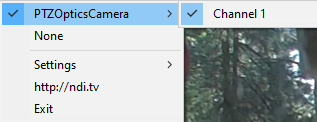
- You will the see the following:
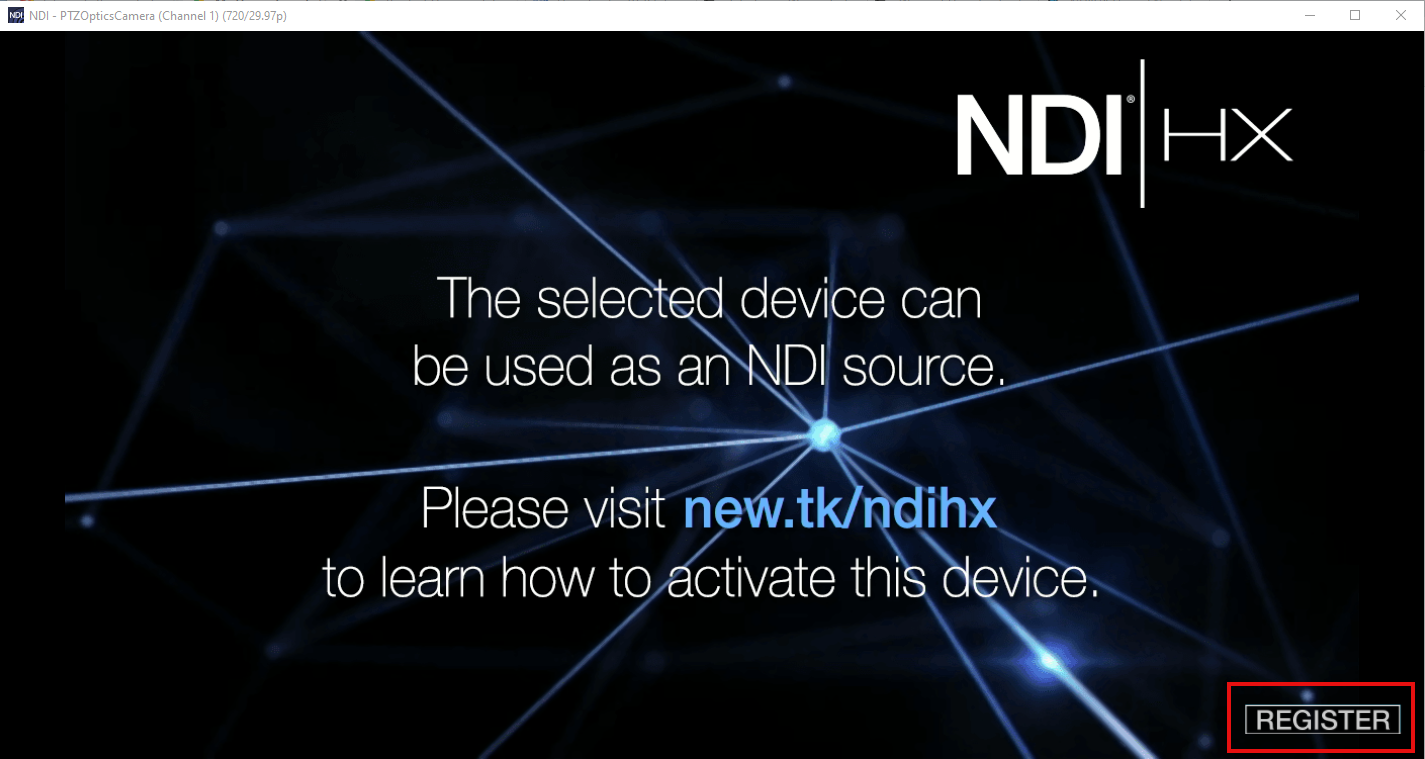
- Click "Register" in the lower right corner.
- You will then see the window that allows you to Apply the license. (You will also have the option to purchase a license from NewTek if you don't already have one)
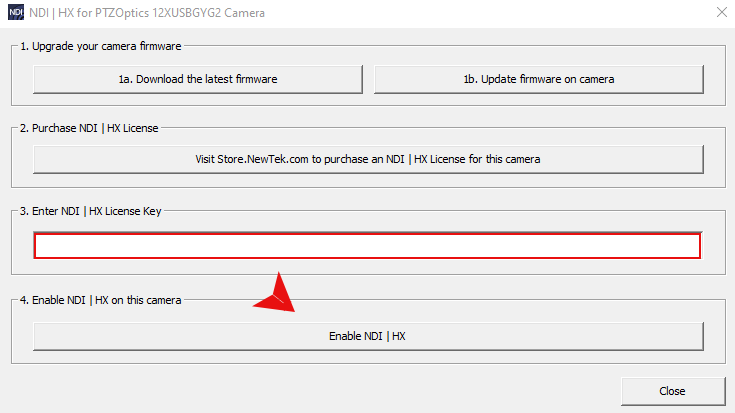
- Enter the license in the "Enter NDI" field and click "Enable NID|HX" button.
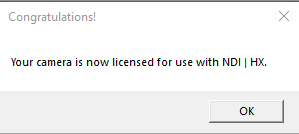
- This will apply the license and enable the NDI feature. You should see the following message. Click "OK" and you are ready to go!